
13 Best Barcode Scanner Apps That Save Time & Money (2025)
Modern businesses struggling with inventory chaos can't survive without the best barcode scanner apps. These tools have revolutionized how companies operate in retail, logistics, inventory management, and customer service. What used to be chaotic inventory systems are now optimized, efficient processes. The year 2025 has brought apps that are more powerful, efficient, and accurate than ever, as businesses welcome digital transformation.
The right barcode software lets you manage product barcodes without breaking a sweat. You'll discover the potential of automatic inventory counts and quick product lookups. On top of that, these systems track your inventory location, so you always know what's in stock. Your team won't waste time searching for missing items because these platforms streamline processes, speed up tracking, and minimize human error.
The right barcode scanning solution can revolutionize operations for businesses of all sizes, from small retail shops to large warehouses. This piece explores 13 of 2025's best barcode scanner apps that save time and money while delivering the reliability and functionality your business needs to stay competitive.
inFlow Inventory
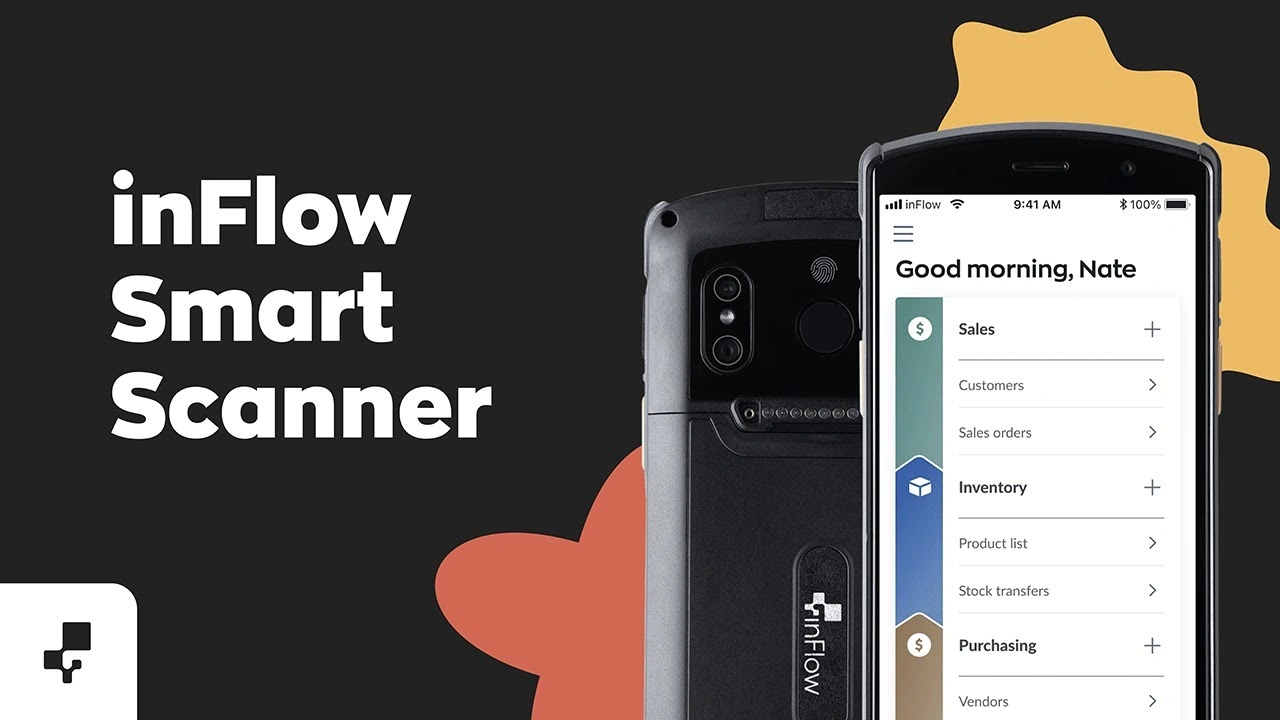
Image Source: inFlow Inventory
inFlow Inventory has become a versatile barcode scanner solution that businesses in over 90 countries use. The platform's easy-to-use design has earned a 4.6/5 rating, making it a powerful yet available inventory management system.
Key features of inFlow Inventory
The platform has complete barcode generation and scanning capabilities through its mobile app for Android and iOS devices. The platform also provides a dedicated Smart Scanner—a rugged Android smartphone with a built-in laser scanner that streamlines warehouse operations.
A simple barcode scan lets you check stock levels instantly with live inventory tracking. The built-in Label Designer creates professional barcode labels with customizable fields, serial numbers, and pricing information.
inFlow supports multiple currencies and measurement systems, making it ideal for global operations. The platform's Showroom feature creates B2B portals where customers view products and place orders directly.
Pros and cons of inFlow Inventory
Pros:
- Exceptional reporting capabilities with customizable fields
- Strong customer support rated 4.6/5
- Excellent value for money (4.5/5)
- Mobile app eliminates paper-based processes
- Live access across multiple devices
Cons:
- Limited integrations compared to competitors
- Invoice formatting issues (digits sometimes wrap to next row)
- Challenging for multiple warehouse management
- No lot code tracking capability
- No longer offers on-premise deployment
Pricing of inFlow Inventory
- Entrepreneur: $186/month or $149/month billed annually
- Small Business: $436/month or $349/month billed annually
- Mid-Size: $999/month or $799/month billed annually
Each plan comes with specific numbers of team members and sales orders, and additional orders cost $0.20 each. You can add BOM and work orders, serial number tracking, and API access as optional features.
Best use cases for inFlow Inventory
Small to medium-sized businesses looking for complete inventory management without complexity will find inFlow valuable. The online showroom works great for B2B retailers.
Warehouse managers love the mobile scanning capabilities that replace clipboard processes. Manufacturers benefit from materials forecasting and assembly cost tracking. Field service businesses can track tools, parts and ongoing work from anywhere. Any business ready to upgrade from spreadsheets to a single, easy-to-use inventory system will find this solution helpful.
Sortly
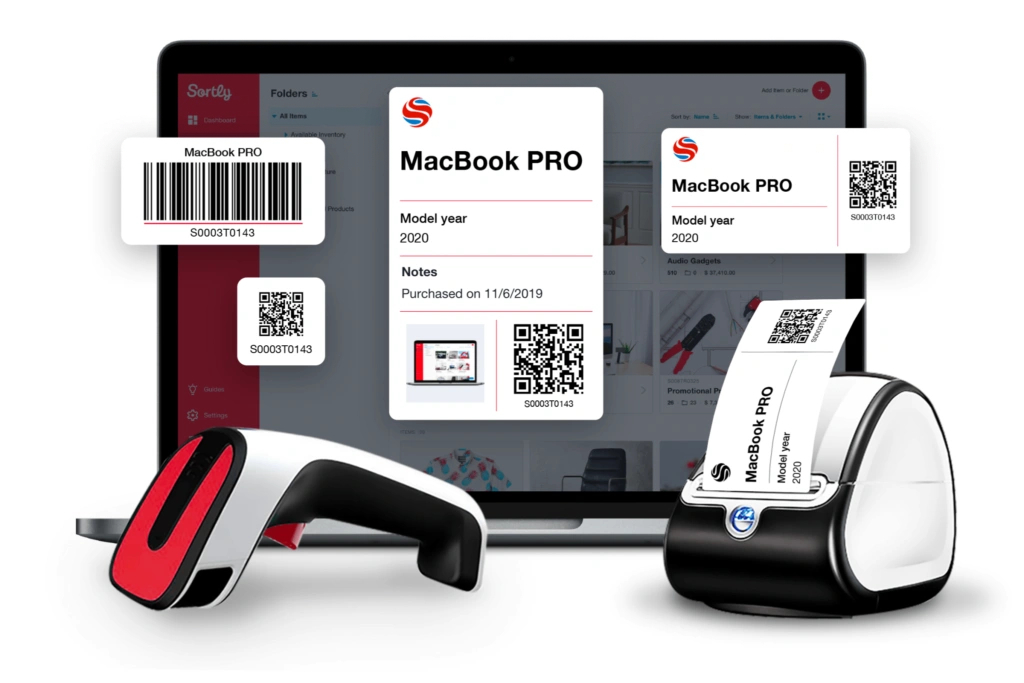
Image Source: Sortly
Sortly revolutionizes how businesses track their assets and inventory with its photo-based inventory management solution. The system comes with built-in barcode scanning capabilities and serves as both a barcode generator and scanner. Visual businesses will find this system especially valuable.
Key features of Sortly
The platform stands out with its user-friendly barcode and QR code functionality that works right from your smartphone or tablet. You can generate and print custom barcode and QR code labels, scan existing codes, and track items in multiple locations. The system works offline when you don't have internet, and your changes sync up once you're back online.
You can use handheld Bluetooth scanners to process items faster. The software lets you create customizable folders, tags, and fields to organize inventory just the way you need it. On top of that, it provides powerful reporting tools with inventory summaries, low stock alerts, and activity tracking.
Pros and cons of Sortly
Pros:
- User-friendly design that users rate highly
- Visual inventory tracking with photo capabilities
- Up-to-the-minute inventory updates across devices
- Customizable organization system with tags, folders, and fields
- Mobile app that works offline
Cons:
- Limited integrations compared to competitors
- No direct ecommerce platform compatibility
- Price increases after promotional periods
- Lacks dual price fields (purchase vs. selling price)
- Limited API access in lower-tier plans
Pricing of Sortly
- Free: For personal use, up to 100 items
- Advanced: $29/month, perfect for small businesses
- Ultra: $59/month, works best for small to medium businesses
- Enterprise: Custom pricing for larger organizations
You'll save 20% with annual subscriptions compared to monthly billing.
Best use cases for Sortly
Interior designers love Sortly's extensive visual capabilities. These designers typically organize their inventories in 166 folders on average to track about 1,285 items. The QR code feature proves especially useful for asset tracking, with designers using around 220 barcodes and QR codes.
Small retail businesses that focus on brick-and-mortar operations find Sortly's features perfect for their needs. The platform works best for businesses that need to document their inventory's condition, location, and details in a visual way.
Finale Inventory
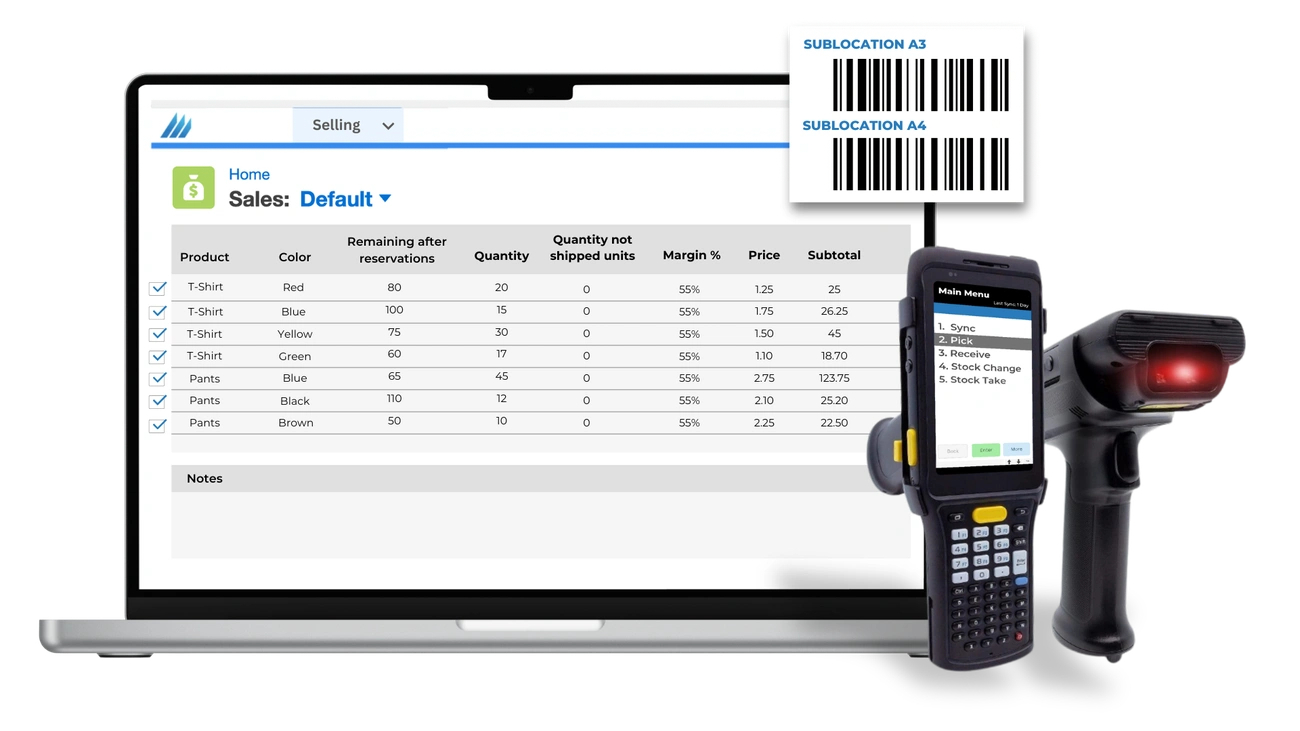
Image Source: Finale Inventory
Finale Inventory helps multichannel sellers manage their inventory with a powerful barcode system that catches warehouse errors right away. The cloud-based platform is simpler than enterprise systems, and businesses can start using it in weeks.
Key features of Finale Inventory
The platform's barcode scanning works on Android devices whether you're online or offline. It uses smart forecasting that looks at your sales patterns and tells you the best stock levels to maintain. The dashboard shows you everything at once - from Amazon FBA to Shopify, Walmart, and your physical stores. This helps you avoid the scattered information that often leads to poor decisions.
Staff members can find products quickly because the mobile barcode scanner points them to exact bin locations. The system lets businesses set up wave picking, batch processing, and pick-and-pack methods to make warehouse work easier.
Pros and cons of Finale Inventory
Pros:
- Strong barcode checks that prevent shipping mistakes
- Excellent customer support rated 4.7/5 by users
- Complete lot ID and serial number tracking
- Custom reports and labels with unlimited fields
- Works offline as a "data collector" when WiFi isn't available
Cons:
- Not as focused on manufacturing compared to competitors
- Documentation needs updates
- Takes time to learn for new inventory system users
- No LIFO/FIFO features
Pricing of Finale Inventory
Plans begin at $499/month, with prices based on users, integrations, and order volume. Smaller businesses can choose from $99-$420/month plans without long-term contracts. Premium options cost $649-$949+ monthly. Bronze plan subscribers and above get free onboarding - a great value since other companies charge for it.
Best use cases for Finale Inventory
The system works best for businesses with 200 to 50,000 SKUs that sell through multiple channels. Companies moving away from spreadsheets or manual tracking will find the barcode system helpful. The platform shines when helping multichannel ecommerce businesses keep their stock levels accurate and prevent overselling.
EZOfficeInventory (EZO)
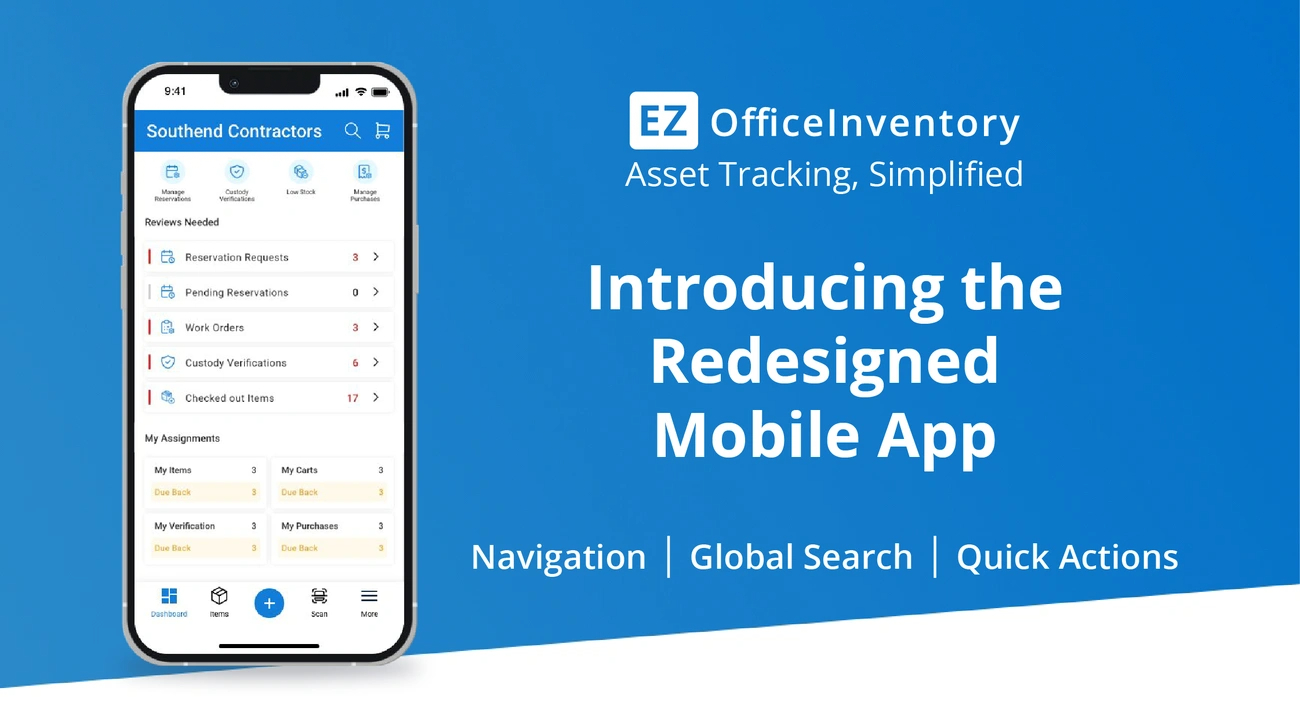
Image Source: EZO
EZOfficeInventory (EZO) serves as a central hub that delivers complete asset intelligence with powerful barcode scanning features. The system streamlines inventory management in multiple locations. This cloud-based platform helps maximize asset lifecycles and gives teams live tracking solutions.
Key features of EZOfficeInventory
EZO's mobile applications for Android and iOS devices provide detailed barcode and QR code management. The system works with built-in smartphone cameras and external barcode scanners to track inventory. Users can create and print professional-grade labels in different sizes and formats with the built-in label designer.
The platform stands out in asset lifecycle management by tracking maintenance history and scheduling preventive maintenance. Technicians receive task assignments through the system. EZO also includes a strong reservation system that lets users book assets for specific times and dates. The availability calendar prevents double-booking issues.
Pros and cons of EZOfficeInventory
Pros:
- Easy-to-use interface with a short learning curve
- Flexible barcode scanning options (mobile app or external scanners)
- Detailed reporting and analytics features
- Offline scanning works in areas with poor connectivity
- Reduction in asset loss reported at 80% by some customers
Cons:
- Limited options to edit checked items after acceptance
- Pricing structure runs high for small businesses
- Mobile device scanning needs configuration adjustments
- Reports could use more customization options
Pricing of EZOfficeInventory
EZO's tiered pricing depends on the number of tracked items:
- Essential: $35/month (billed annually) for 8,000 items
- Advanced: $35/month (billed annually) for 8,000 items
- Premium: $35/month (billed annually) for 8,000 items
Plans start at $35-55/month for 250 items. The pricing adjusts based on business size and needs. Each plan includes unlimited users under a fair usage policy.
Best use cases for EZOfficeInventory
EZO excels in businesses that need detailed asset tracking across multiple locations. Equipment-intensive operations benefit most from its maintenance tracking features. Customer reports show management time reductions of approximately 50%.
Service companies value EZO's ability to track each asset's maintenance history, costs, and vendor details. Organizations with frequent equipment checkouts find the reservation system prevents scheduling conflicts effectively.
Zoho Inventory
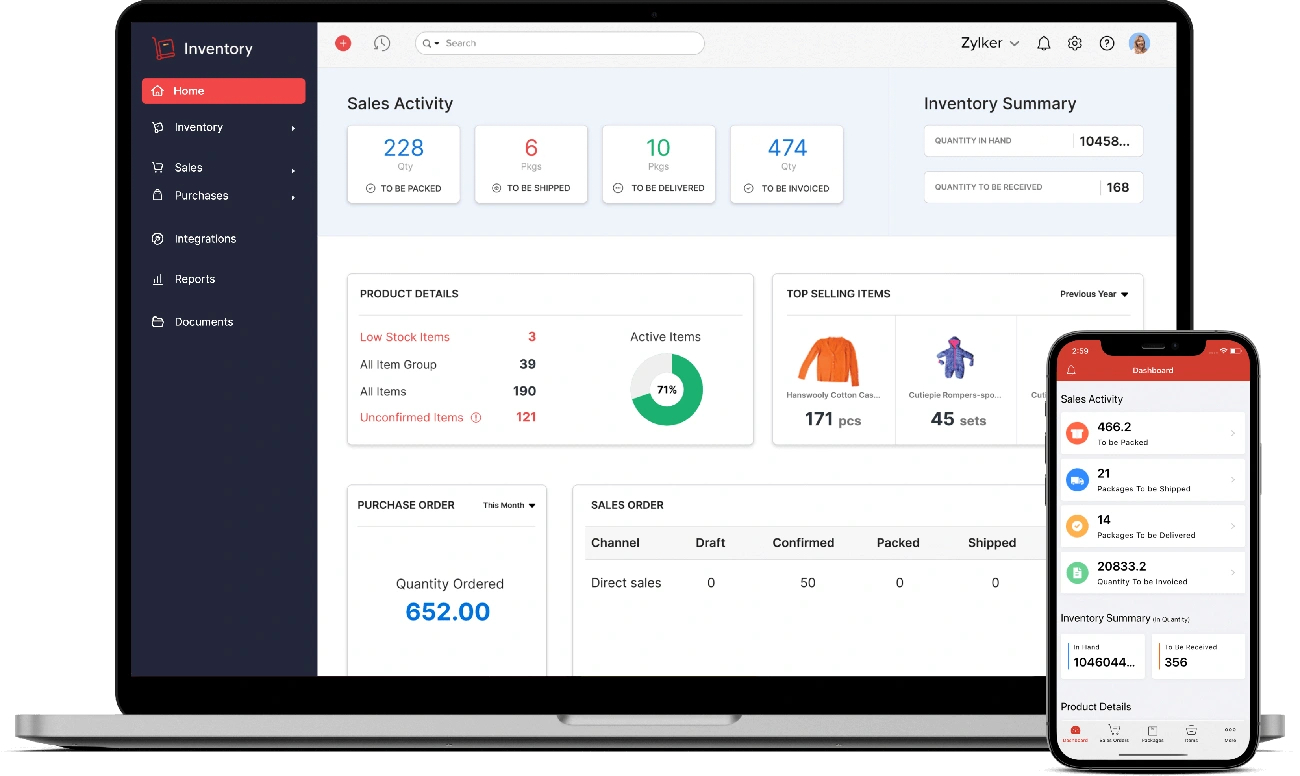
Image Source: Zoho
Zoho Inventory takes barcode scanning up a notch by integrating it smoothly into its complete inventory management system. This cloud-based platform lets you point and scan to automatically fill in information. This cuts down on manual data entry and reduces human errors.
Key features of Zoho Inventory
Zoho Inventory shines at barcode scanning in inventory management of all types. The system lets you scan both line items and serial numbers in transactions like invoices and bills. You can create and print custom barcodes right from the platform.
The software goes beyond scanning. It helps you manage multiple warehouses to track stock in different locations. You get serial and batch tracking for precise inventory control and complete sales order management. The system gives you up-to-the-minute inventory updates, manages purchase orders, and sends automatic notifications when stock runs low.
Pros and cons of Zoho Inventory
Pros:
- Up-to-the-minute tracking gives accurate stock levels
- Multi-channel selling works with major platforms
- Reliable reporting and analytics tools
- Features that improve efficiency
- Options to customize for specific business needs
Cons:
- Feature set might take time to learn
- Offline features are nowhere near competitors
- Pricing tiers can be confusing
- Interface can feel cluttered to some users
- Reports often need extra setup
Pricing of Zoho Inventory
- Free: 50 orders/month, 1 user, 2 locations
- Standard: $29/month annually, 500 orders/month, 2 users
- Professional: $79/month annually, 3000 orders/month, 2 users
- Premium: $129/month annually, 7500 orders/month, 2 users
- Enterprise: $249/month annually, 15000 orders/month, 7 users
Best use cases for Zoho Inventory
Zoho Inventory works best for businesses that run both online and physical stores. The platform helped companies keep their warehouse operations running smoothly during the COVID-19 pandemic despite logistics challenges. Sales teams love the mobile app because they can check stock and place orders while on the road.
Businesses selling through multiple channels can avoid overselling because the system syncs inventory across all platforms. Companies that need detailed asset tracking with barcode scanning will find great value in the system's complete tracking features.
Odoo Inventory
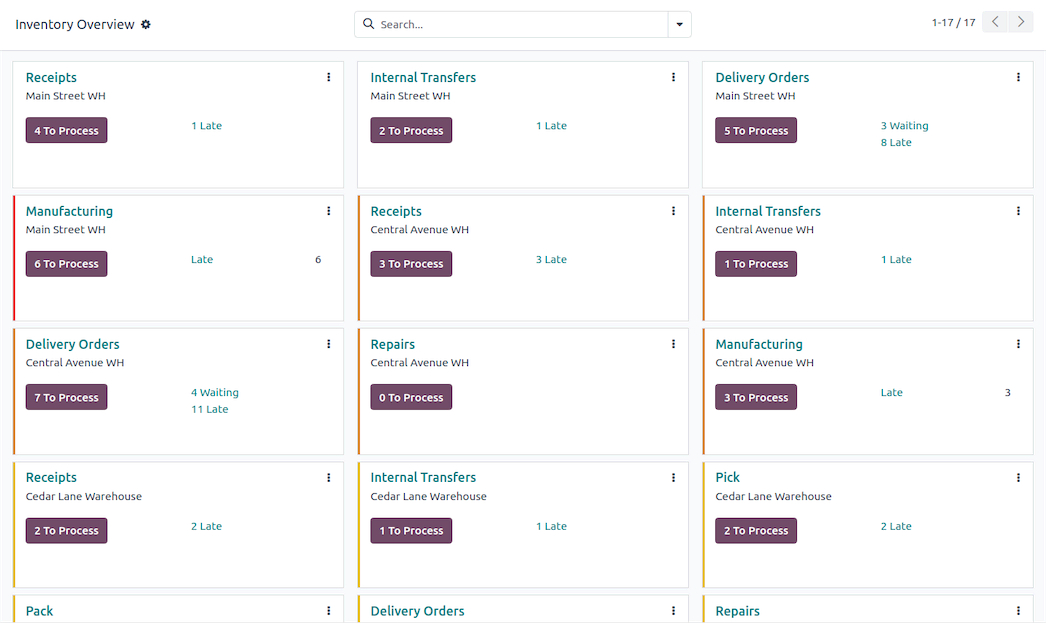
Image Source: Odoo Apps Store
Odoo Inventory works as part of a complete business management suite. It has powerful barcode scanning features that connect purchases, sales, and manufacturing processes. The platform uses a double-entry inventory system to track every stock movement with precision.
Key features of Odoo Inventory
Odoo delivers up-to-the-minute data analysis [link_1] that shows stock availability and prevents stockouts and overstocking. The system shines at multi-warehouse management, helping businesses optimize their stock in warehouses and virtual locations of all sizes.
Companies can automate their inventory processes through barcode scanning, which makes everything more accurate and faster. The platform keeps track of batch and serial numbers to ensure products can be traced throughout the supply chain.
On top of that, it creates purchase orders based on predefined stock levels. The system has warehouse organization features that let you define layouts with racks, bins, and specific locations.
Pros and cons of Odoo Inventory
Pros:
- Efficient processes that cut down manual work and mistakes
- Complete reporting that helps make better decisions
- Adaptable as your business grows
- Full product traceability with lot/serial tracking
Cons:
- Takes time to learn customization features
- Original setup needs technical expertise
- Basic version doesn't have advanced barcode features
- You might need developer help for customization
Pricing of Odoo Inventory
Odoo's Community Edition comes free to download but has basic features. The Enterprise version costs:
- Standard monthly rate: $31.10 per user
- Annual subscription: $24.90 per user per month
- New customers get special first-year rates
Best use cases for Odoo Inventory
Odoo works best for businesses that handle complex warehouse operations. E-commerce companies with multiple warehouses or complex logistics networks get the most value from it.
Companies that need to track regulated products love Odoo's traceability features. Businesses that use barcode scanning to automate warehouse operations see major improvements in speed and accuracy.
MRPeasy
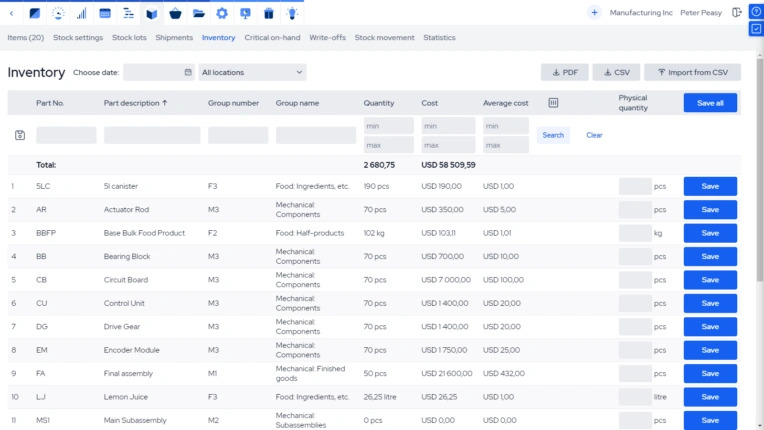
Image Source: MRPeasy
MRPeasy offers a cloud-based inventory system with barcode capabilities designed for small manufacturers. This manufacturing resource planning software tracks everything from incoming purchases to finished products.
Key features of MRPeasy
MRPeasy has complete barcode functionality that supports both generation and scanning in manufacturing processes of all sizes. The system lets you print barcodes on product labels, stock lot labels, storage location labels, and manufacturing order documents. You can scan different types of barcodes including items, stock lots, and manufacturing orders. While dedicated scanners work best, MRPeasy's iOS and Android apps can turn any smartphone camera into a barcode reader.
Pros and cons of MRPeasy
Pros:
- Easy-to-use system that makes setup and navigation simple
- Detailed stock lot tracking through barcodes
- Uninterrupted connection with Xero and QuickBooks Online
- Immediate manufacturing data from all production processes
Cons:
- Manual inventory entries can cause problems with automatic write-offs
- Learning the right workflows takes time
- Original setup can be complex for very small companies
- Not as customizable as some competitors
Pricing of MRPeasy
- Starter: $49/month per user (has simple barcode features)
- Professional: $69/month per user
- Enterprise: $99/month per user (has advanced barcode system)
- Unlimited: $149/month per user
Best use cases for MRPeasy
MRPeasy works best for manufacturing and distribution companies with 10-200 employees. The system shines when stock lot tracking is needed, as barcodes make product identification and movement much easier. Manufacturers who need reliable inventory tracking get great value from the barcode-enabled lot tracking features.
Fulfill
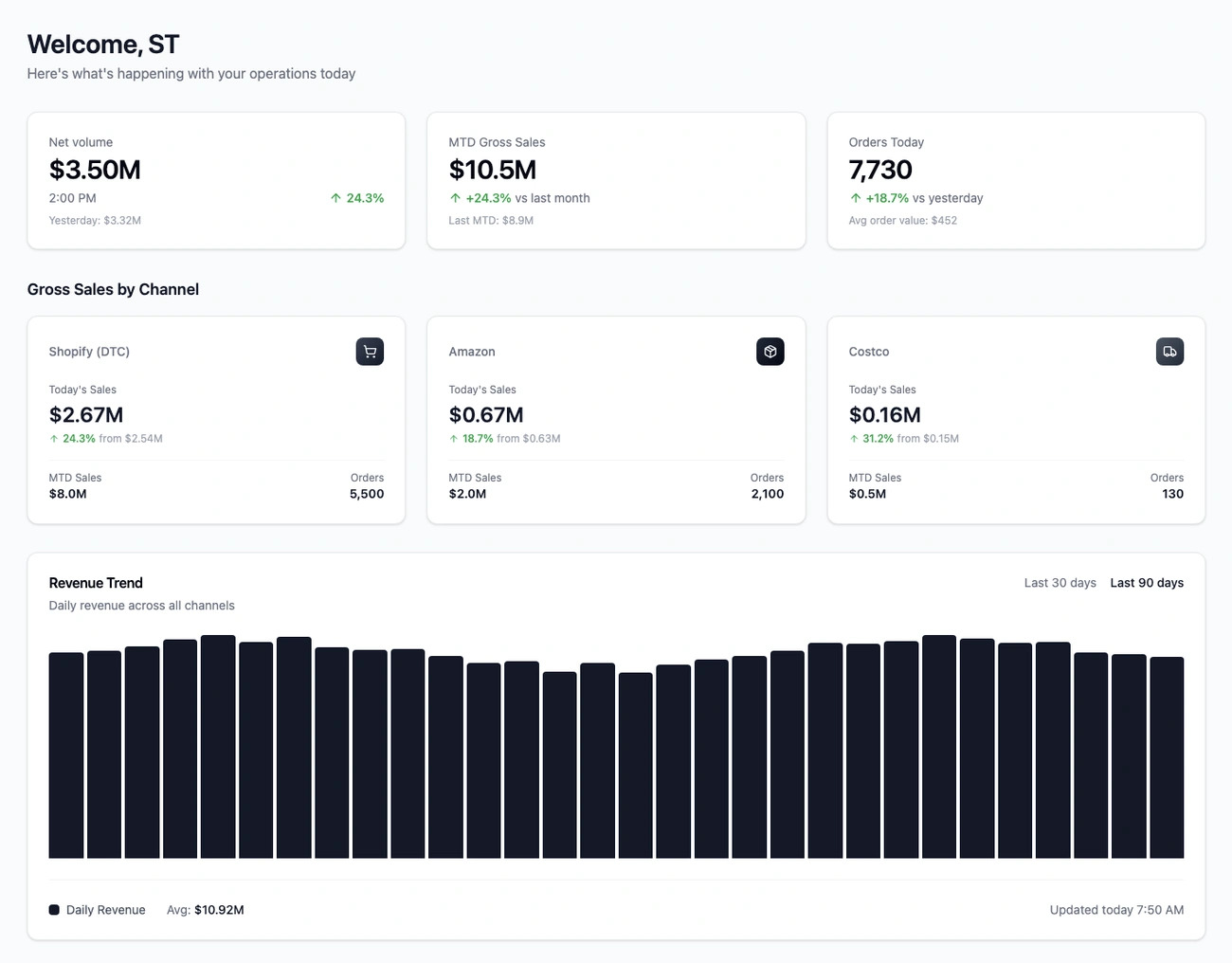
Image Source: www.fulfill.io
Fulfill is a purpose-built ERP system that helps direct-to-consumer brands with uninterrupted inventory control through integrated barcode scanning. The cloud-based platform brings together sales channels, warehouses, accounting, and fulfillment in one unified system.
Key features of Fulfill
The platform's detailed barcode scanning functionality works seamlessly with its warehouse management system. Users can scan orders with barcode scanners and see items they need to pack. The pick-and-pack functionality lets businesses verify correct items by scanning product barcodes. Every warehouse movement automatically updates inventory costs and COGS. The platform processes over $10 billion in GMV annually with 99.99% historical uptime.
Pros and cons of Fulfill
Pros:
- Open API architecture supports custom integrations with 3PLs, sales channels, and carriers
- Up-to-the-minute synchronization across all modules eliminates manual reconciliation
- AI helps reduce implementation complexity
- Native Shopify integration handles unlimited SKU variants beyond Shopify's limits
Cons:
- Original implementation complexity needs dedicated resources
- Price point runs higher than some competitors
- The sandbox environment has limitations for testing before implementation
- Users mention functionality changes with updates
Pricing of Fulfill
The platform's Basic plan starts at $1000 per month. Order volume, channels, and operational complexity determine the higher tier prices. Businesses should request a demo to get a customized quote that matches their needs.
Best use cases for Fulfill
High-growth online retailers and wholesalers looking to unify their back-office operations find great value in Fulfill. The platform excels at helping businesses process thousands of orders during flash sales. DTC brands with multiple warehouses benefit from knowing how to route orders based on inventory availability.
BarTender
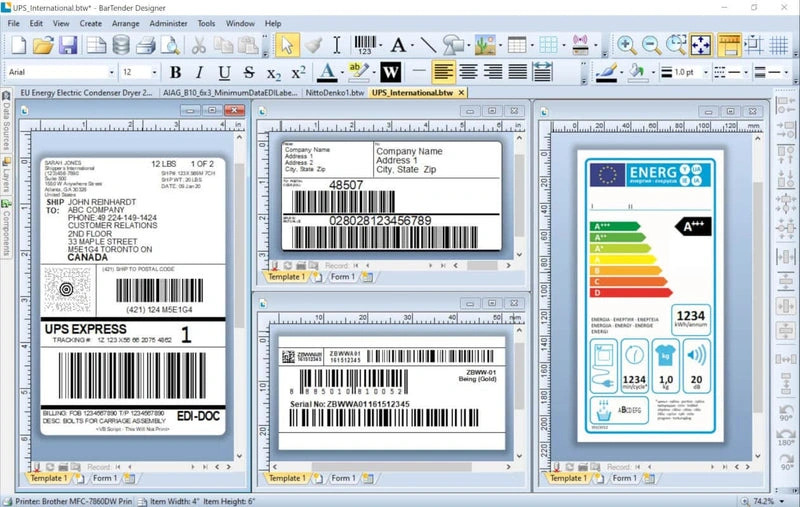
Image Source: All Barcode Systems
BarTender has been a trusted label management solution for over 30 years. The software prints more than 100 billion labels each year for 250,000+ customers in 175+ countries. This industry-leading barcode software gives detailed labeling capabilities to businesses of all sizes.
Key features of BarTender
The software comes with a user-friendly drag-and-drop editor to design professional labels. BarTender supports RFID tag printing and has 10,000+ printer drivers. Users can print remotely without drivers. The template library updates automatically to match regulations like GS1, RFID, and UDI. The REST API integration lets BarTender connect to almost any business system.
Pros and cons of BarTender
Pros:
- 99.9% availability gives reliable performance
- License models adapt to different business needs
- Detailed template library includes a built-in Template Assistant
- Smart printing removes the need for printer driver management
Cons:
- Complex setup for enterprise deployments
- Costs more than basic solutions
- Support is mostly through community forums and email
- Lower-tier plans have fewer customization options
Pricing of BarTender
The software offers flexible subscriptions with 1, 3, and 5-year plans. Users save 10% with 3-year plans and 15% with 5-year options. All licenses need yearly agreements.
Best use cases for BarTender
BarTender's strong capabilities make it perfect for logistics, warehousing, and supply chain operations. Organizations that need precise label printing at multiple locations will find great value here. Companies that need compliance labeling with strict regulatory standards ended up getting exceptional results with BarTender's template management system.
Label Flow

Image Source: IdentiSys
Label Flow provides a detailed barcode label printing solution that makes inventory tracking easier for industries of all types. The Windows-based platform excels at quick implementation and adapts flexibly to different systems.
Key features of Label Flow
Users can start working within minutes thanks to Label Flow's accessible guided setup wizard. The software has a searchable library containing over 2,500 pre-defined industry standard label templates. The system connects directly to existing databases through live connections and eliminates the need for data import or export. Users can work with more than 20 industry-standard barcode formats including Code 128, 39, 93, QR Code, and Data Matrix.
Pros and cons of Label Flow
Pros:
- Customer service excellence with 4.8/5 rating
- Batch printing capabilities for high-volume operations
- Direct third-party application integration via command-line utility
- RFID encoding capabilities for advanced tracking
Cons:
- Only works with Windows systems
- New users face a learning curve with the original interface
- Custom barcode creation from scratch isn't possible
- Phone support can be hard to reach
Pricing of Label Flow
- Standard: $375 one-time payment
- Premier: $750 one-time payment
- Enterprise solutions: $375-$3895 based on business requirements
Best use cases for Label Flow
Businesses that need quick inventory management in warehousing and retail operations will find Label Flow particularly useful. The batch printing functionality makes it an excellent choice for organizations that handle high-volume product labeling.
Wasp InventoryCloud
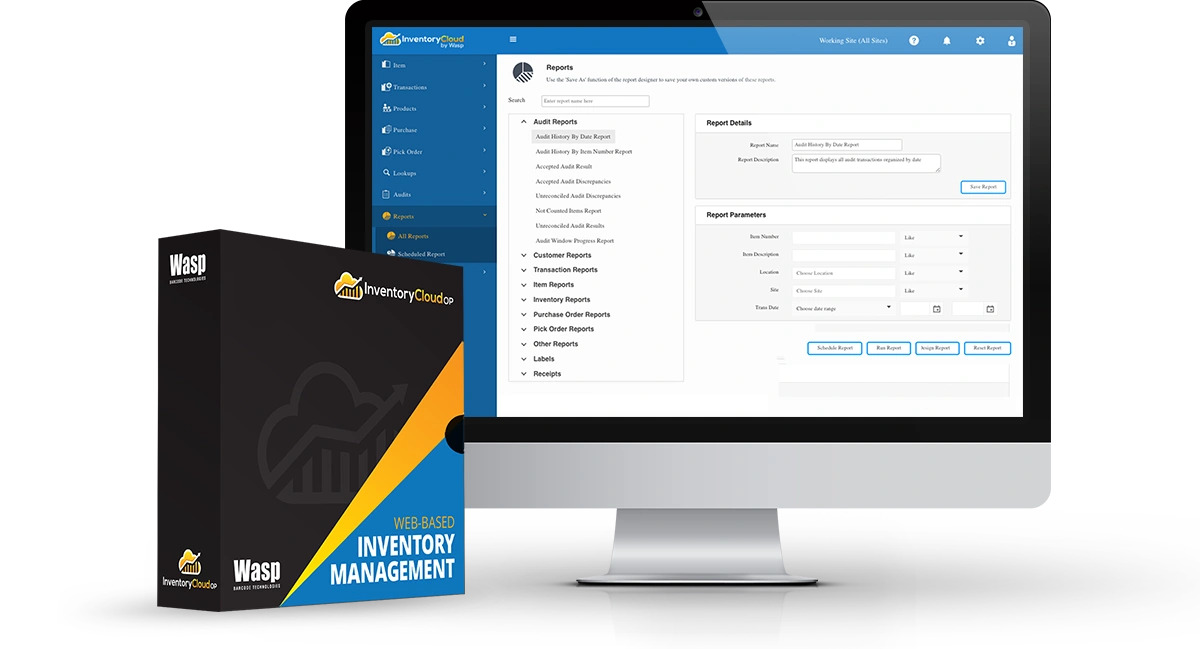
Image Source: Wasp Barcode Technologies
Wasp InventoryCloud enables businesses to use a flexible barcode inventory system that works across multiple locations without shared networks. Users can track inventory at unlimited sites worldwide and see updates live.
Key features of Wasp InventoryCloud
The platform works seamlessly with iOS, Android, and Wasp mobile devices for inventory tracking. InventoryCloud lets you create custom fields that match your business terminology. The notification engine alerts you about low inventory levels and expiring items to prevent stockouts that can get pricey.
Pros and cons of Wasp InventoryCloud
Pros:
- Flexible multi-site system with custom user permissions
- Users report 90% less inventory shrink
- Over 30 pre-built reports for detailed analysis
Cons:
- Users must refresh the mobile app manually to update quantities
- Handheld devices have limited customization options
- Some users find the original setup challenging
Pricing of Wasp InventoryCloud
- Simple: $108/month (cloud-hosted)
- Complete: $333/month (cloud-hosted)
- Enterprise: Custom pricing for 30+ users
Best use cases for Wasp InventoryCloud
Wasp shines in warehouse management where teams need precise tracking for picking, packing, and shipping. Companies with multiple locations see major improvements in their operations after implementing the system.
HandiFox
Image Source: HandiFox
HandiFox provides a QuickBooks-integrated barcode inventory system that syncs data live and eliminates double entries between inventory and accounting systems. The platform comes in two versions - a cloud-based solution (HandiFox Online) and a desktop version to meet different business needs.
Key features of HandiFox
The system enables detailed barcode scanning through mobile apps for Android and iOS devices. Users can scan products to search, enter data, receive items, count inventory, pick orders and make sales. The platform also includes multi-location tracking, serial/lot number tracking with expiration dates, and efficient features like Create+ that enables one-click transactions.
Pros and cons of HandiFox
Pros:
- Live syncing with QuickBooks
- Works offline for field operations
- Complete visibility across multiple warehouses
- Outstanding customer support with 4.8/5 rating
Cons:
- System slows down with many open sales orders
- Original training may be too short for non-technical users
- Some users report occasional glitches
- Employee access to cost data in web version
Pricing of HandiFox
- Start: $39/month with annual billing ($49 monthly)
- Optima: $79/month with annual billing ($89 monthly)
- Pro: $109/month with annual billing ($139 monthly)
- Desktop: One-time license fee of $1,695
Best use cases for HandiFox
HandiFox works best for food distributors who need lot tracking, businesses that manage inventory across multiple warehouses or truck, and companies that need smooth QuickBooks integration.
ZebraDesigner
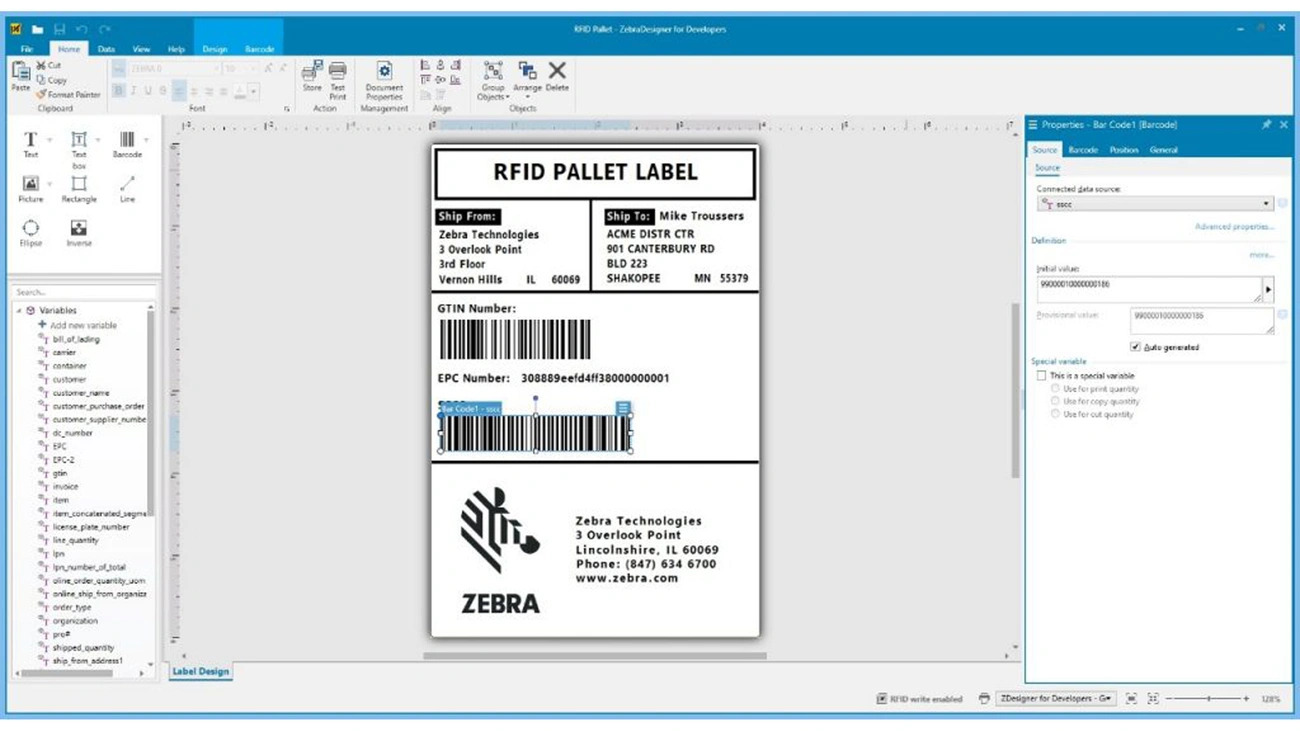
Image Source: Zebra Technologies
ZebraDesigner is a professional label and tag creation software from Zebra Technologies that specializes in designing industry-standard barcodes. This Windows-based platform makes complex barcode creation simple with its accessible interface.
Key features of ZebraDesigner
The software comes with drag-and-drop functionality so users don't need complex coding. You'll find support for multiple barcode formats, native printer fonts, and Unicode compatibility. A searchable library provides pre-designed label templates that speed up implementation. The platform works with ZPL, CPCL and EPL command languages and connects to databases for variable data printing.
Pros and cons of ZebraDesigner
Pros:
- User-friendly Microsoft Office-style interface
- Support in 20 international languages
- Compatibility with over 100 barcode symbologies
- Works with existing label formats from previous versions
Cons:
- Runs only on Windows systems
- Essentials edition lacks enterprise features
- Users report occasional software glitches
- Several features need technical expertise
Pricing of ZebraDesigner
Users can download ZebraDesigner Essentials at no cost. The Professional version needs a one-time activation license key purchase. Large organizations can opt for Enterprise license pricing.
Best use cases for ZebraDesigner
Manufacturing, retail, and logistics operations benefit most from this professional barcode label printing solution. Small and medium businesses value the software's straightforward approach to label creation.
Comparison Table
| Software | Key Features | Starting Price | Notable Pros | Notable Cons | Best Use Cases |
| inFlow Inventory | - Mobile app for Android/iOS - Live inventory tracking - Built-in Label Designer |
$186/month | - Strong customer support (4.6/5) - Live access on all devices |
- Limited integrations - No lot code tracking |
Businesses of all sizes needing complete inventory management |
| Sortly | - Photo-based inventory tracking - Custom barcode/QR code generation - Offline capabilities |
Free (up to 100 items) | - Accessible interface - Visual inventory tracking - Offline capabilities |
- Limited integrations - No direct ecommerce compatibility |
Visual inventory tracking, interior designers, small retail businesses |
| Finale Inventory | - Online/offline Android scanning - Velocity-based forecasting - Dynamic safety stock calculations |
$499/month | - Strong barcode verification - Excellent support (4.7/5) |
- Less manufacturing focus - New users face learning curve |
Multichannel sellers managing 200-50,000 SKUs |
| EZOfficeInventory | - Mobile scanning (iOS/Android) - Asset lifecycle management - Reservation system |
$35/month | - Accessible interface - Flexible scanning options |
- Limited edit options - Steep pricing for small businesses |
Equipment-intensive operations, service-based companies |
| Zoho Inventory | - Multi-warehouse management - Serial/batch tracking - Automated reordering |
Free tier available | - Live tracking - Multi-channel selling capabilities |
- Complex feature set - Limited offline capabilities |
Businesses managing online and brick-and-mortar sales |
| Odoo Inventory | - Live tracking - Multi-warehouse management - Batch/serial tracking |
$31.10/user/month | - Simplified processes - Complete reporting |
- Complex setup - Customization requires learning |
Complex warehouse operations, e-commerce companies |
| MRPeasy | - Barcode generation/scanning - Mobile app scanning - Stock lot tracking |
$49/user/month | - Accessible interface - Detailed lot traceability |
- Manual inventory issues - Complex implementation |
Manufacturing companies with 10-200 employees |
| Fulfill | - Pick-and-pack functionality - Live synchronization - AI-assisted setup |
$1000/month | - Open API architecture - Live synchronization |
- Complex implementation - Higher price point |
High-growth online retailers, DTC brands |
| BarTender | - 10,000+ printer drivers - RFID support - Template library |
Not mentioned | - 99.9% availability - Flexible licensing |
- Complex setup - Higher price point |
Logistics, warehousing, supply chain operations |
| Label Flow | - 2,500+ label templates - Live database connections - Multiple barcode formats |
$375 one-time | - High customer service (4.8/5) - Batch printing capabilities |
- Windows-only - Interface learning curve |
High-volume product labeling operations |
| Wasp InventoryCloud | - iOS/Android support - Custom field options - Low stock alerts |
$108/month | - Multi-site flexibility - Extensive reporting |
- Manual app refreshing needed - Limited customization |
Multi-location inventory management |
| HandiFox | - QuickBooks integration - Multi-location tracking - Serial/lot tracking |
$39/month | - Live QuickBooks sync - Offline capabilities |
- Slow with many orders - Brief initial training |
Food distributors, multi-warehouse businesses |
| ZebraDesigner | - Drag-and-drop interface - Multiple barcode formats - Template library |
Free (Essentials) | - Accessible interface - Multiple language support |
- Windows-only - Limited enterprise features |
Manufacturing, retail, logistics operations |
Conclusion
The right barcode scanner app can revolutionize your inventory management process by cutting down human error and improving operational efficiency. You now have 13 powerful solutions that work for businesses of all sizes and budgets. Each platform brings its own strengths to the table - Sortly excels at visual inventory tracking, HandiFox connects smoothly with QuickBooks, and Finale Inventory provides detailed warehouse management.
Think over your specific requirements before you implement any barcode system. Small retailers might find Zoho Inventory's free tier enough for simple needs. Manufacturing operations would benefit more from MRPeasy's production-focused features. On top of that, businesses with multiple sales channels should look for platforms that excel at multichannel syncing like Fulfill or Finale Inventory.
Getting actual barcodes for your products comes next after picking your scanning solution. Amazon suggests GS1, but Bar Codes Talk offers a solid alternative with their "works for Amazon guarantee." Their GTINs, EANs, and UPC barcodes are proven winners - hundreds of thousands of products use them successfully.
The work to be done during setup leads to long-term efficiency gains. Most businesses see dramatic improvements after switching to barcode systems. Management time drops by 50% and inventory shrinkage decreases by 90%. This makes your barcode scanner app an investment rather than an expense. It quickly pays off through time savings, fewer errors, and happier customers.
A good barcode scanning solution makes your operations smoother today and grows with your business tomorrow. These powerful options include your perfect inventory management solution - you just need to pick the one that matches your business needs best.